GalaxyDocumenter
Generate the documentation for your AVEVA galaxy instead of writing it.
AVEVA System Platform is an effective SCADA/HMI development platform. The object-oriented, template-driven approach to modelling SCADA, HMI and MES applications makes the work effective and genuinely fun. Then the project ends and the harder part begins.
The customer expects documentation: implementation standards, naming conventions, system structure, the philosophy behind the template model. So the fun part is followed by weeks of describing, by hand, something that is already fully described inside the galaxy database. And the moment the galaxy changes, what you wrote is wrong.
GalaxyDocumenter reads the galaxy and produces that document for you.
What it does
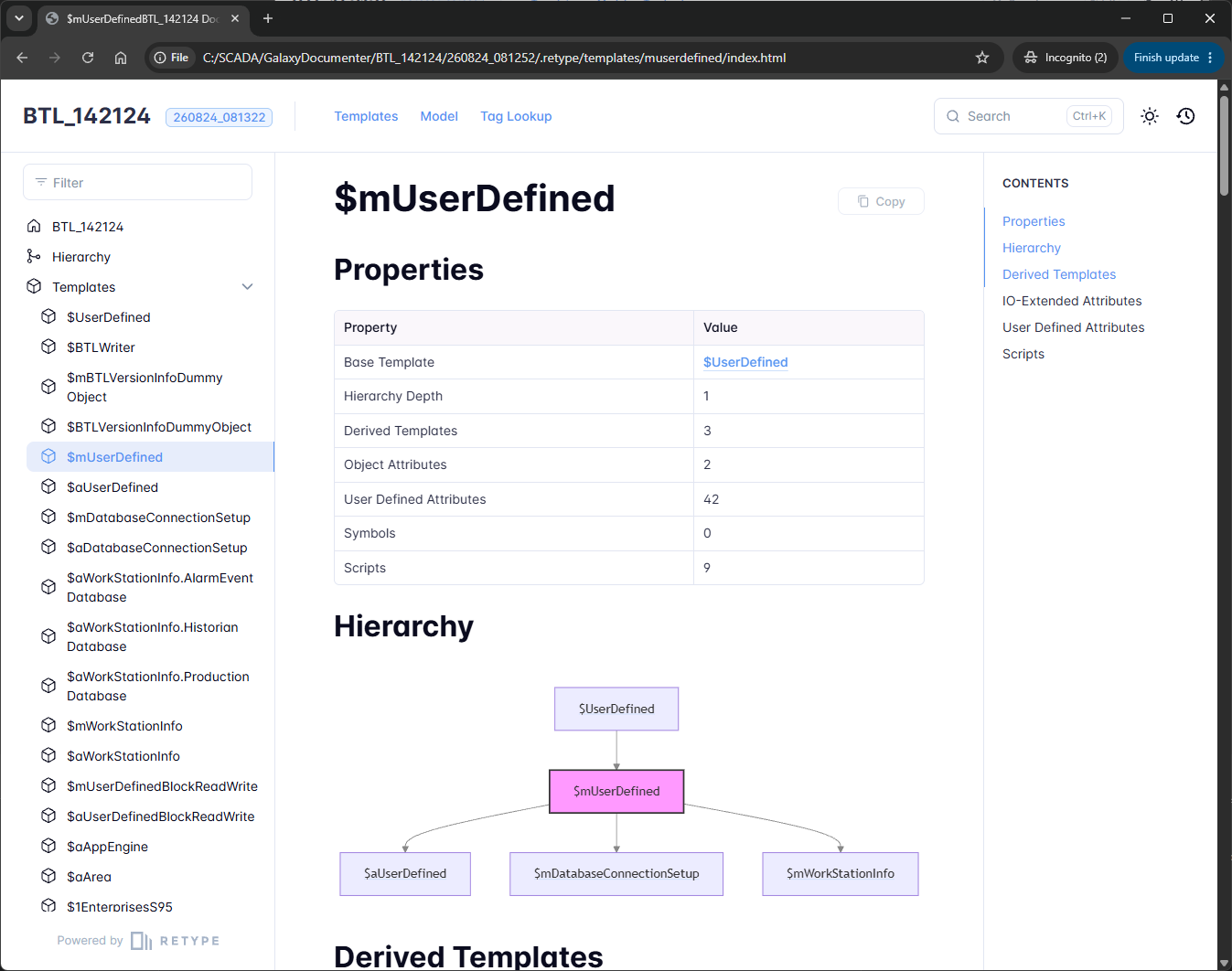
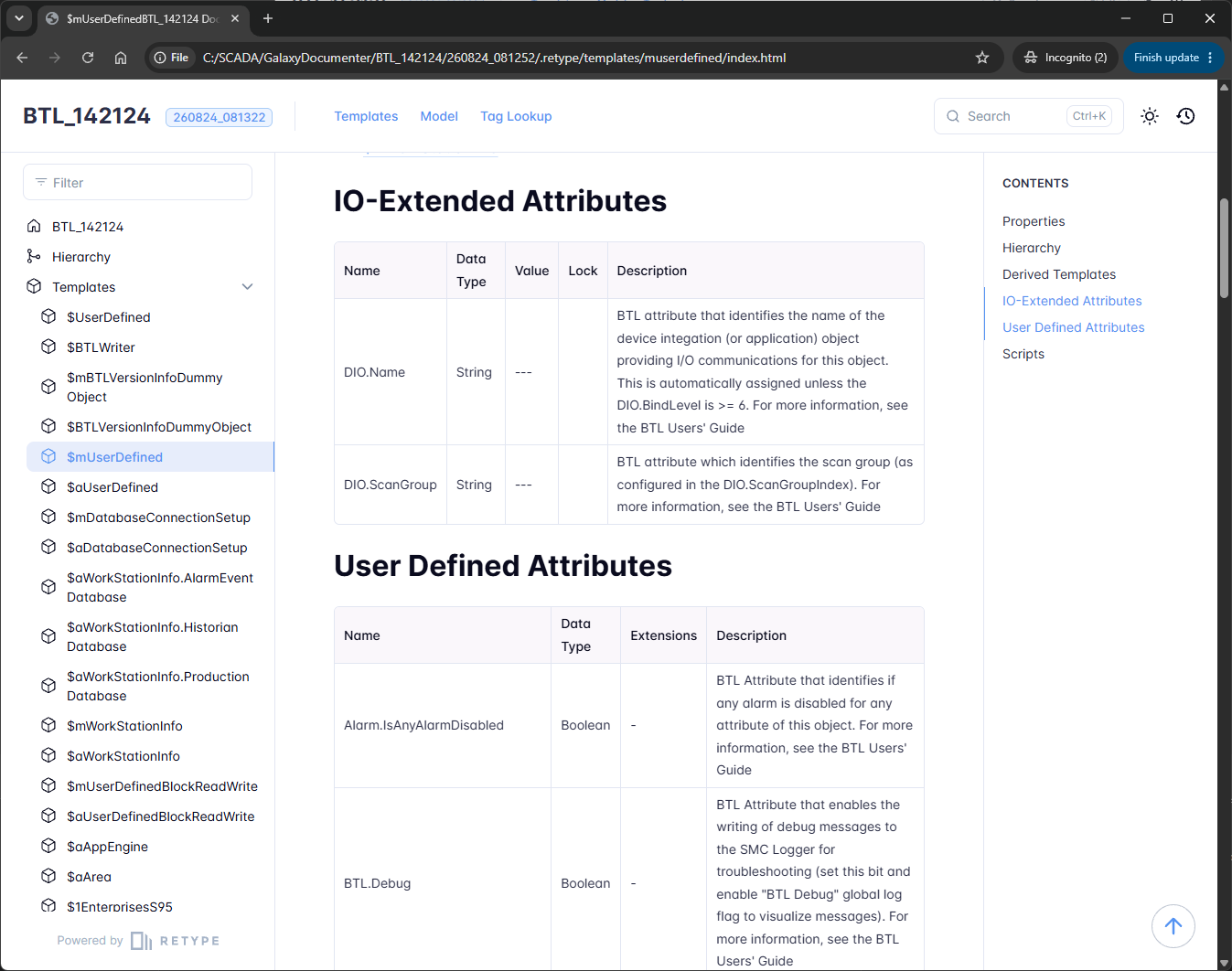
- Documents the whole derivation model. Every template below the roots you name: its base template, depth, derived children, configuration attributes, IO-extended attributes, user defined attributes, symbols and scripts.
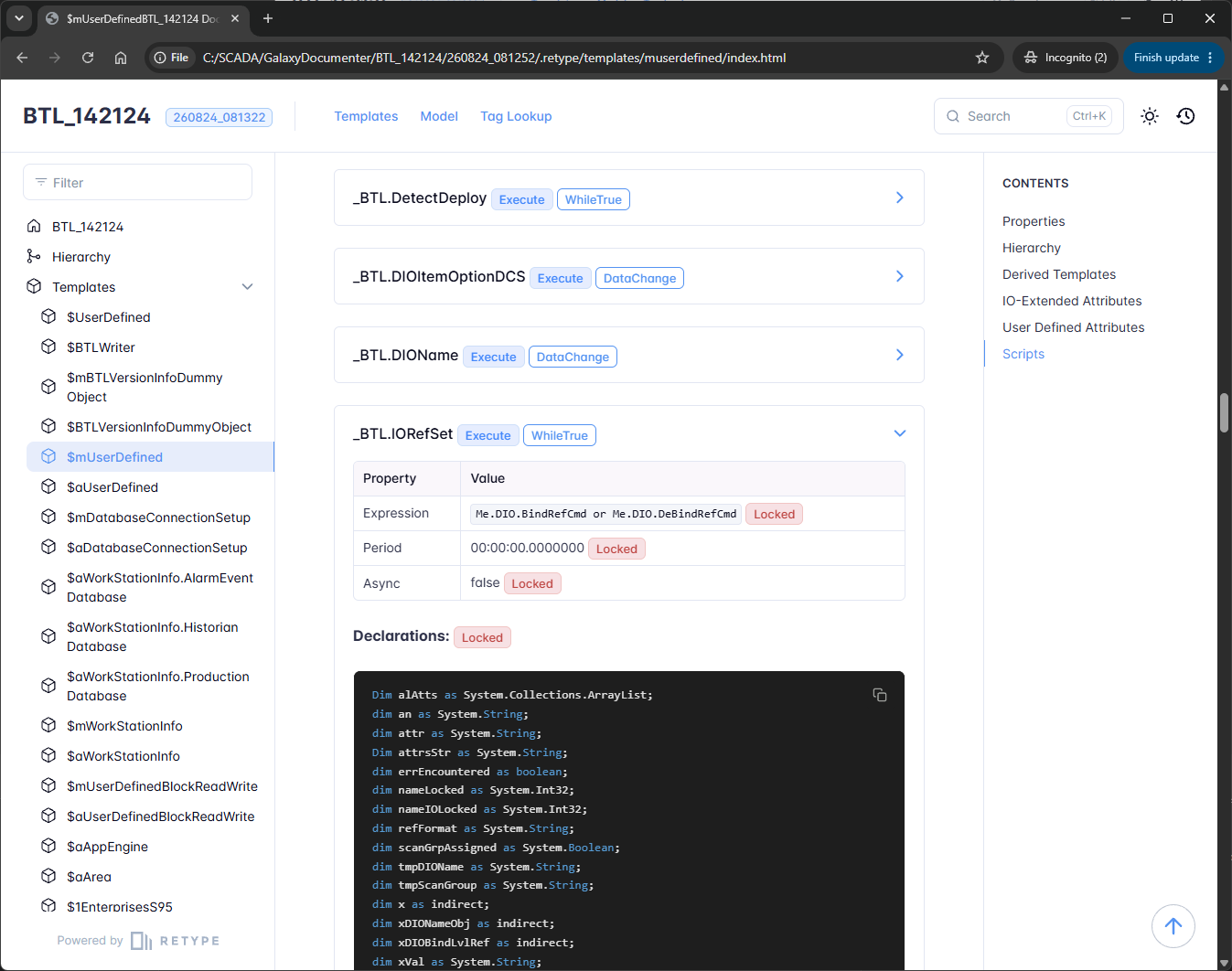
- Includes the script code. Not just which scripts exist, but the declarations and body, the trigger type, the expression, the execution period and what is locked.
- Draws the derivation tree. Every template page carries a diagram of what it was derived from and what was derived from it, with clickable nodes, so you can walk the model instead of reconstructing it.
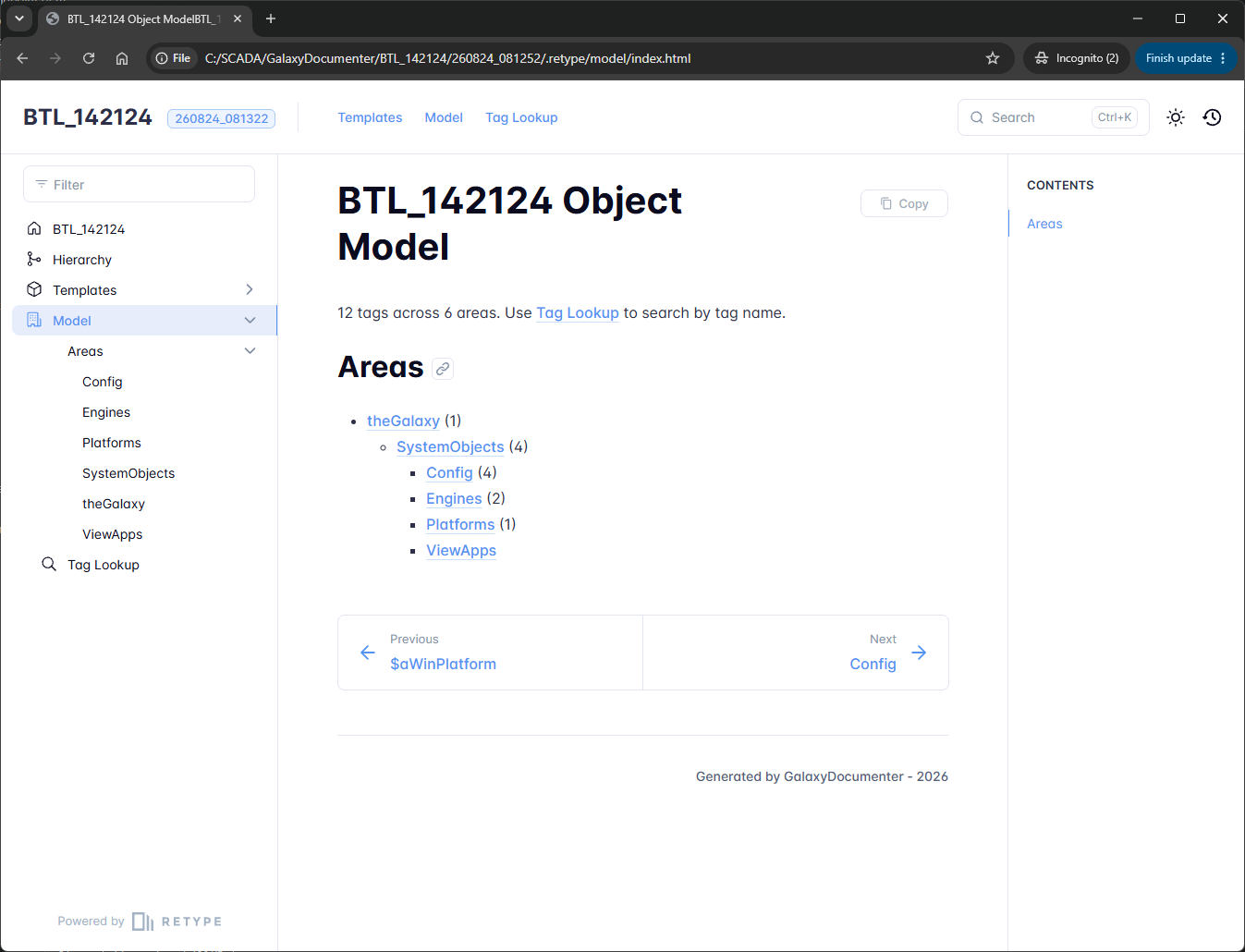
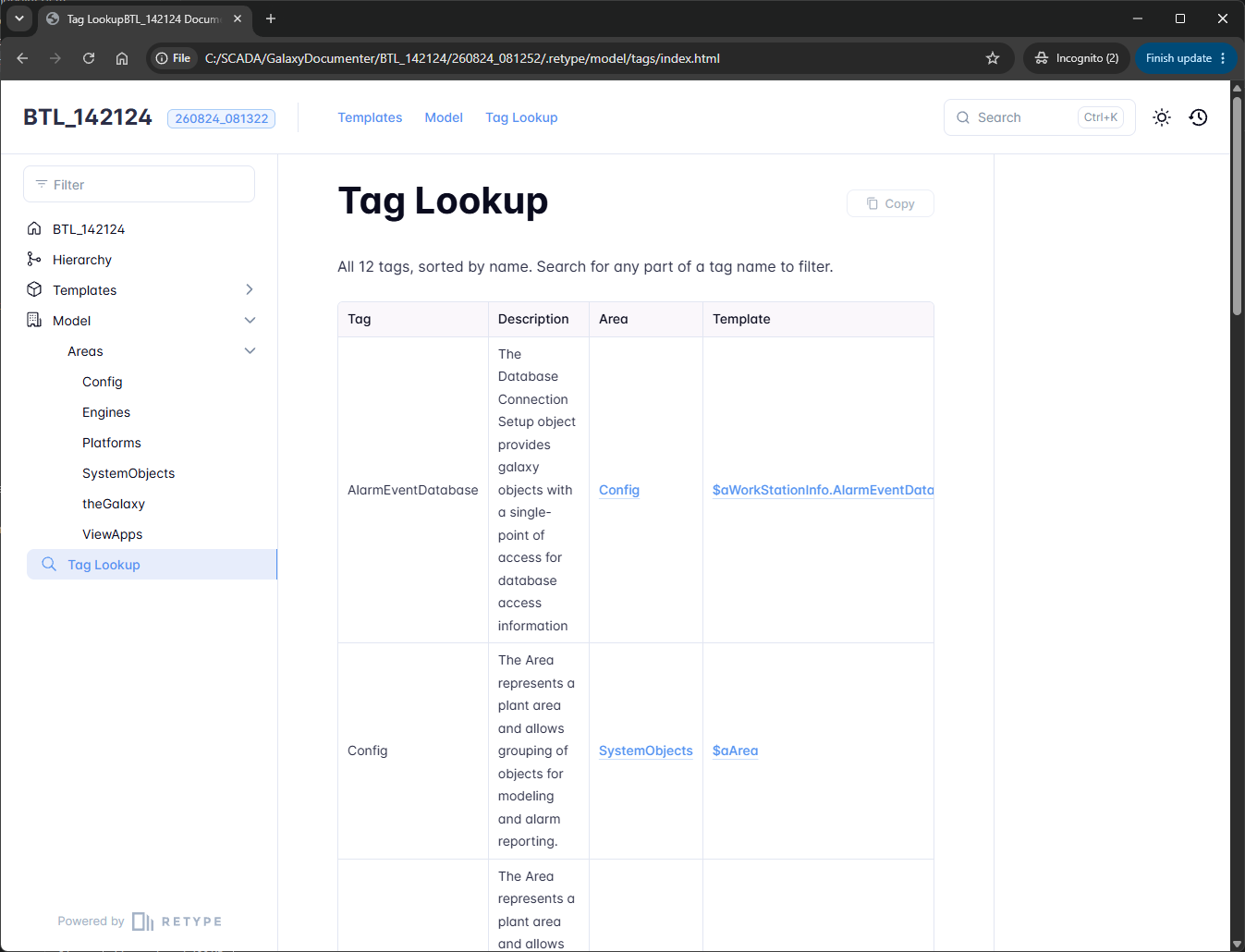
- Links the running application back to its definitions. An area tree with tag counts, plus a Tag Lookup listing every area-assigned object with its description, its area and the template it came from, all linked.
- Searches everything, scripts included. Full text search across the whole document, in light or dark mode.
- Opens from a folder. Copy the output to a laptop or a memory stick and open it in a browser. No web server, no installation, nothing for the reader to set up.
- Records what it documented. The home page states the galaxy, the root templates, the template count, and the date and tool version that produced it.
How it works
GalaxyDocumenter runs on a Windows machine that can reach the galaxy and reads it through the same interface the IDE uses. You give it the galaxy and one or more root templates. Templates that share no common ancestor can be documented in a single run, each as its own tree.
The output is a static website in two halves. One documents the derivation model, the definitions you built. The other documents the running application, the areas and the tags deployed into them, linked back to the definitions. You can scope that half to part of the plant when only part of it matters.
It runs from the command line, so you can schedule it.
Use cases
Handover. The project is finished and the owner wants documentation that describes the standards, the naming conventions and the structure of what you built. Generate the reference material in minutes, then spend your time writing the part that actually needs a person: why the model is shaped the way it is.
Documentation that stays true. A document written at the end of a project starts going stale the day after it is signed off. A scheduled run describes the galaxy as it is now, so the version on the shelf and the version in production do not drift apart.
Finding your way around someone else's galaxy. Taking over an application you did not build usually means opening the IDE and clicking through the derivation tree object by object. Search the document instead, follow a tag from the area it runs in back to the template that defines it, and read the script that drives it on the way.
Questions
Does the person reading the documentation need anything installed? No. It is a folder of files. Copy it anywhere and open it in a browser. There is nothing to install and no server to run, which is what makes it easy to hand to a customer.
Does it include attribute values from the running application? No, and that is deliberate. Values such as trend limits commonly live in the controller rather than in the galaxy, so publishing the galaxy's copy would document something that is not the truth. The template half carries the configuration, and the model half carries the structure.
Can it document templates that do not share a common ancestor? Yes. Name several roots in one run and each is documented as its own tree, with the templates index showing which tree every template belongs to.
What does it need to run? A Windows machine with access to the galaxy. It connects the same way the System Platform IDE does, so a machine that can open the galaxy can document it.